What is Stitch Fix Vision?
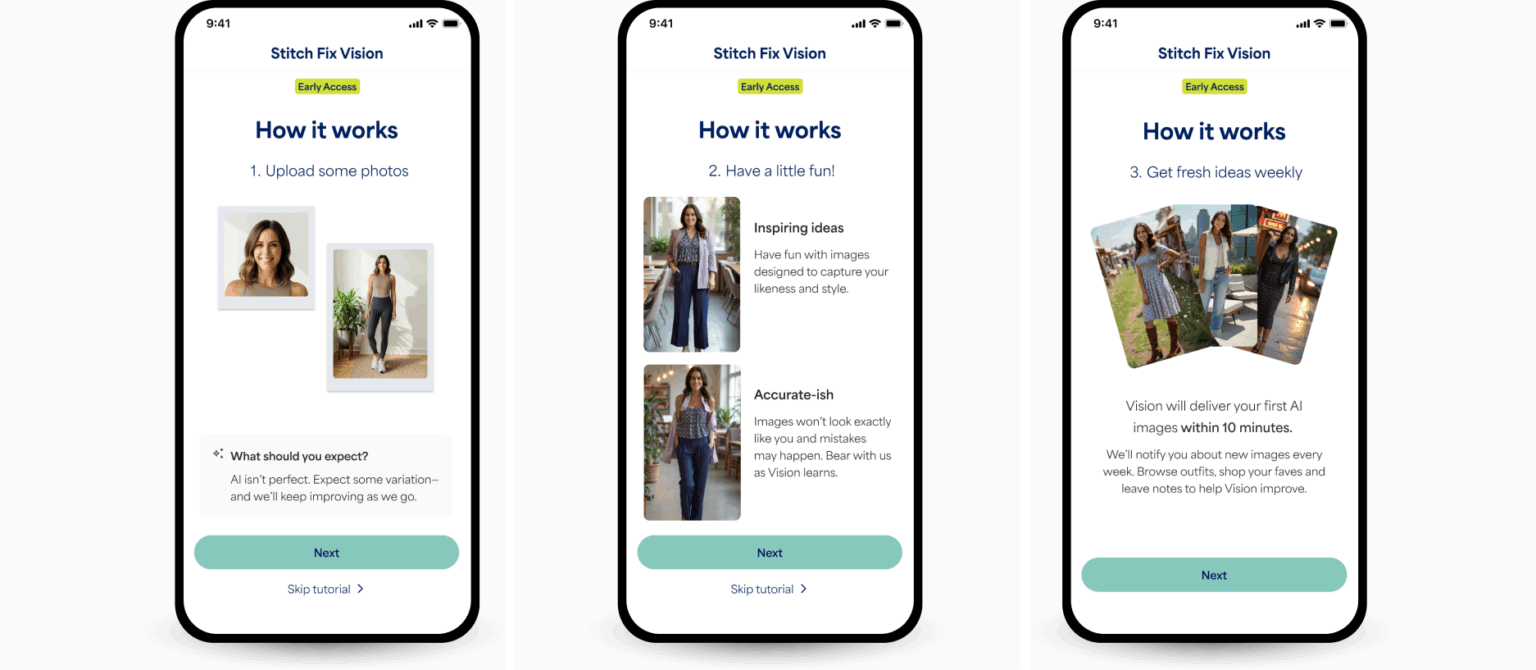
Stitch Fix Vision is your go-to, shoppable, and inspirational style visualization tool. It uses advanced Artificial Intelligence (AI) to generate stunning, personalized images of you wearing the latest looks and trends.
How Does Vision Work?
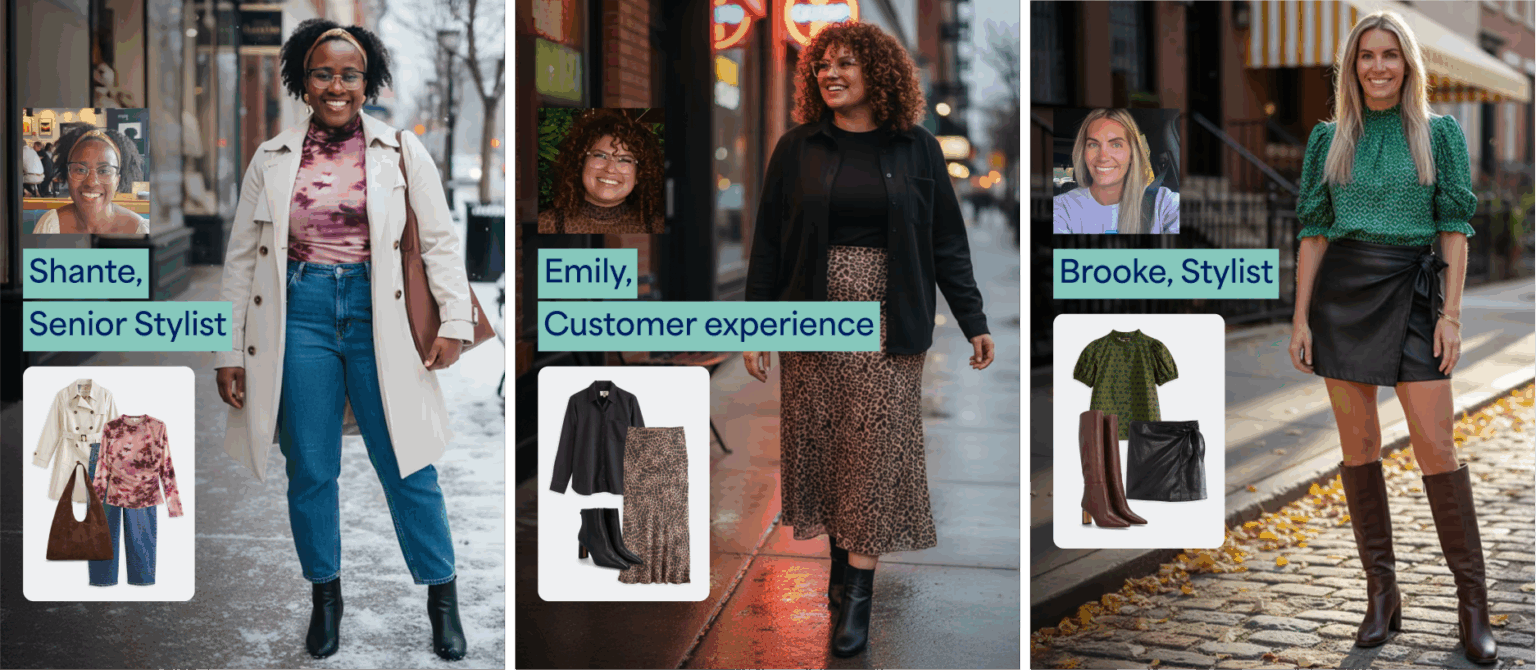
We believe in the power of a human-AI partnership. We combine our proprietary AI algorithms and meaningful data from millions of clients with the hands-on expertise of our Stylists, which allows us to create an AI outfit generator that is perfectly tailored to your individual style and preferences.
Once your personalized looks are generated, easily share your new style inspiration with friends and family via messaging, email, and social media applications!
Getting Started with Vision
Ready to see yourself in new outfits? Getting started is easy and takes just a few steps!
- Download the App: Vision is available exclusively in the Stitch Fix app (get it on the Apple App Store and Google Play).
- Upload Your Photos: To help us create your most personalized looks, simply upload a recent selfie and a full-length photo through the app.
- Start Exploring: The Vision tool will do the rest, providing you with tailored outfit ideas and weekly inspiration!
Shopping with Vision
Browse Vision images on the web or app for new style inspiration! Each image includes shoppable links or the option to receive that style in an upcoming Fix – always with free shipping, returns and exchanges.
Item out of stock? We’ve got you covered:
- Shop similar styles curated just for you below each product’s description
- Save the style using the heart icon for future reference and to let your Stylist know you’re interested
Vision Feedback
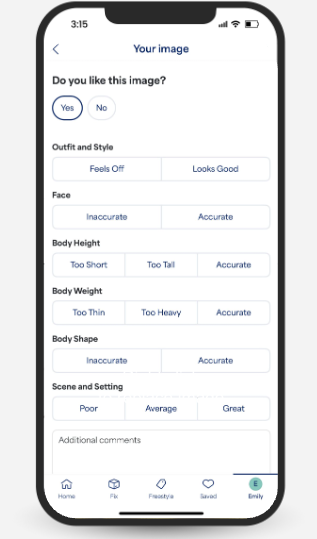
We want to hear from you! With each Vision image you’ll have the option to leave feedback on image scenery, outfit and style, along with face, body, and height likeness. Your feedback helps improve Vision over time!
Changing Profile Photos
Profile photos can only be updated within the Stitch Fix iOS and Android app.
- Select the profile icon with your initial in the bottom right corner
- Select Profile photos. Be sure to use photos with full color, bright lighting, and a natural pose
- Edit and upload new photos
- Select Done
Updated profile photos will be used to create your next weekly batch of Vision images!
Opting Out of Vision
You can opt of receiving fresh Vision images weekly.
- Select the profile icon with your initial
- Select Vision image gallery
- Next to Get fresh Vision images weekly at the top of the page, toggle the button off
Individual images can also be deleted using the trash icon in the top right corner of each image. Note that Vision images cannot be recovered once deleted.


