If you have donated, sold, or no longer own an item you previously purchased, you can clean up your digital wardrobe by removing it from your account. This simple process ensures your personalized recommendations stay perfectly aligned with your current wardrobe needs.
Removing Items
- Using the web browser, log in to your Stitch Fix account
- Select your profile icon with your initial in the upper right corner
- Select Kept Items from the menu to open your wardrobe
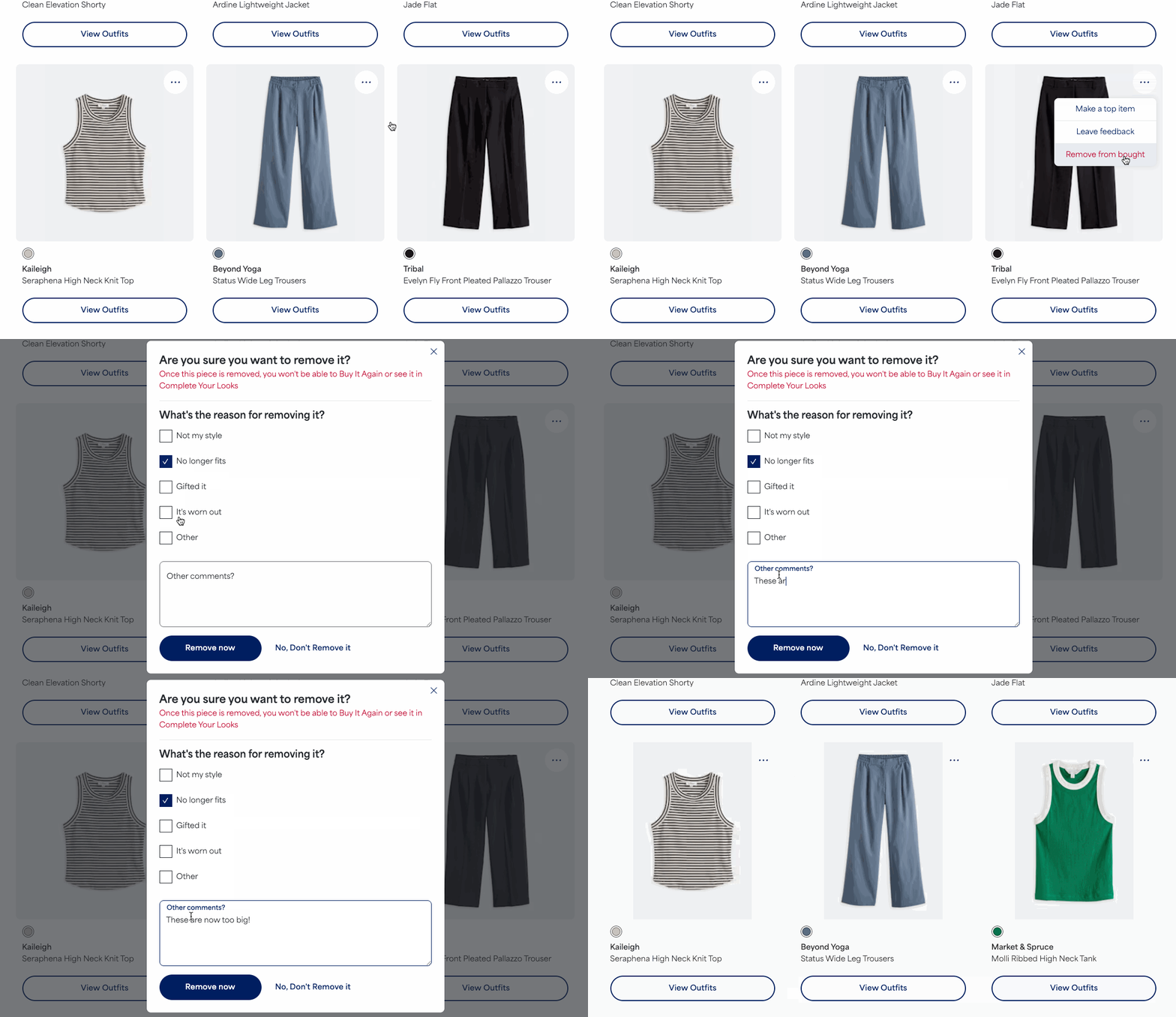
- Locate the item you want remove
- Select the three dots in the upper right corner of the item's image and then select Remove from bought
- Select from the reason for removing it
- Leave any additional freeform feedback in the comments section
- Select Remove now
Once you select Remove now, your digital wardrobe will update immediately.
Additional Information
- Billing and Order History: Removing an item from your Kept Items page updates your visible digital wardrobe but will not alter your official order receipts or billing history.


