We offer a standard 30-day return policy for all purchases, including items ordered directly from your Stitch Fix Freestyle™ shop.
How to Initiate a Return
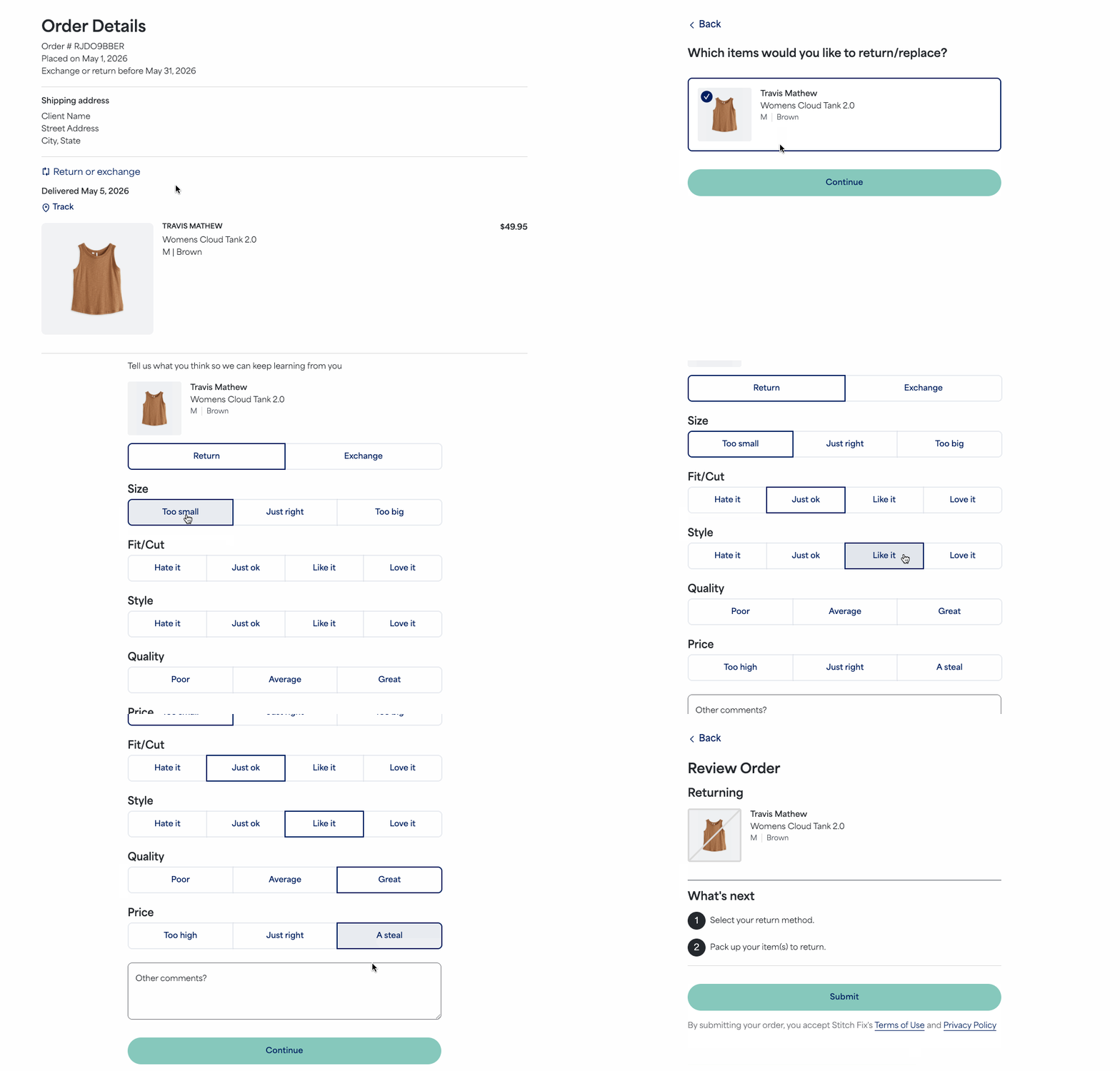
If you still have your original shipping bag along with the prepaid label we included, you can simply use those to send the item(s) back. Otherwise, take the following steps:
- Log in to your Stitch Fix account
- Select your profile icon with your initial
- Select Orders & returns
- Locate the Freestyle order that contains the item you want to return
- Select the option to View details or return items
- Select the item(s) you wish to return and select Continue
- Review your order and select Submit
- Choose the alternate return method option for sending back the unwanted item(s)
- Printerless: Select to receive a QR code that can be scanned at the corresponding carrier location
- Printable Label: Select to download and print a new prepaid label.
- Regardless of your choice, we’ll send an email with your updated return details and instructions
- Place your unwanted item(s) back in the packaging and return using your chosen shipping option
If you do not have an alternate return option available for the order or encounter issues, please contact our Support team over chat, text or email for assistance.
Additional information
- Please make sure your item has all original packaging and tags. This includes any branded bags for footwear and boxes for jewelry.
- Please allow up to 14 business days for your return to be received and the refund to appear back on your original payment method.
- You’ll no longer see the option to return or exchange the item if it’s been more than 30 days since the purchase date. This timing aligns with our 30 day return policy.


