You can either set up Fixes to arrive automatically, on a regular schedule, or order them whenever you need a refresh. You are in control of your deliveries, and we do our best to make it easy to choose a delivery date that works best for you.
How to Select Your Delivery Date
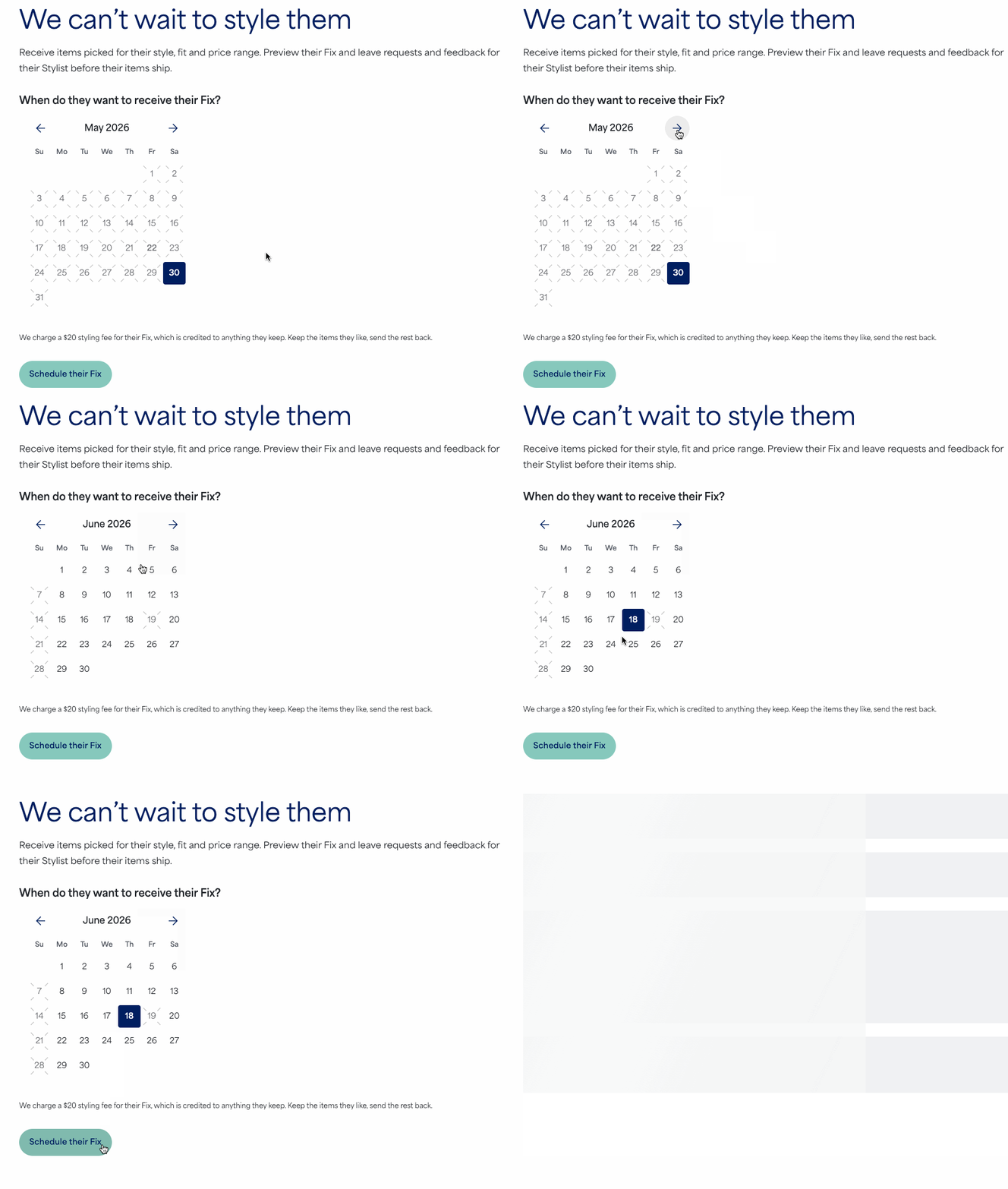
When scheduling a Fix, you’ll choose the estimated delivery date:
- Log in to your Stitch Fix account
- Navigate to the Fixessection:
- Web Browser: Look for Fix across the top navigation bar
- iOS App: Look for Fix on the bottom menu bar
- You will be prompted to choose an estimated delivery date from the calendar
- Select an available date that fits your needs
- Select Schedule your Fix to confirm your delivery
Additional Tips
- Edit Your Date: If you need to adjust the date after scheduling or cancel the Fix, you can select edit next to the delivery date from your Fixes page.
- This option is available only until your Stylist begins working on your Fix.
- If the option is no longer available, reach out to our Support team for help.
- Request Note: If you have a specific event or need, remember to leave a detailed request note for your Stylist so they can curate the perfect items for that Fix.


