Your Style Profile is the first place your Stylist looks to learn about you. It's where you share your preferences on fit, style, and budget so we can send pieces that are the best match for your lifestyle.
How to Update Your Preferences
- Once logged in, select the profile icon with your initial
- Select Style Profile from the menu
- Find the preference you want to update and select the arrow to open
- Update accordingly and select Save
We are constantly evaluating sizing across the brands we carry so that we can provide you the best fit! Because of that, we may choose to ship you a size other than what you selected, based on how your original size translates to that brand.
Additional Tips
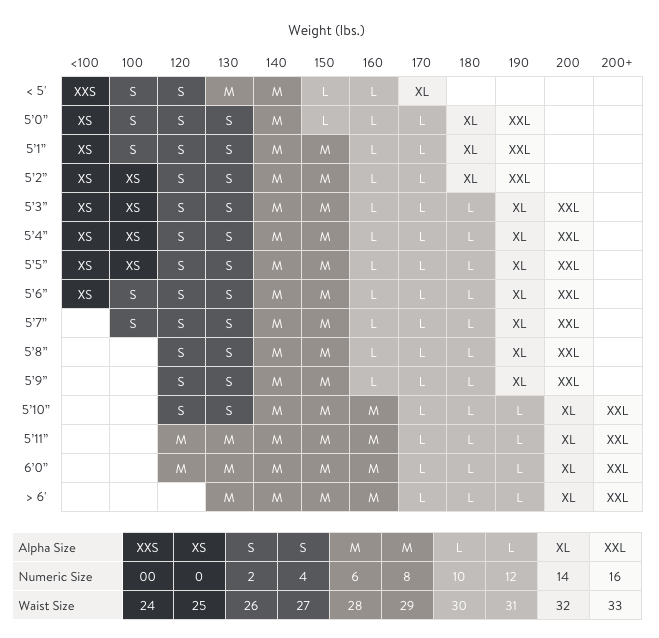
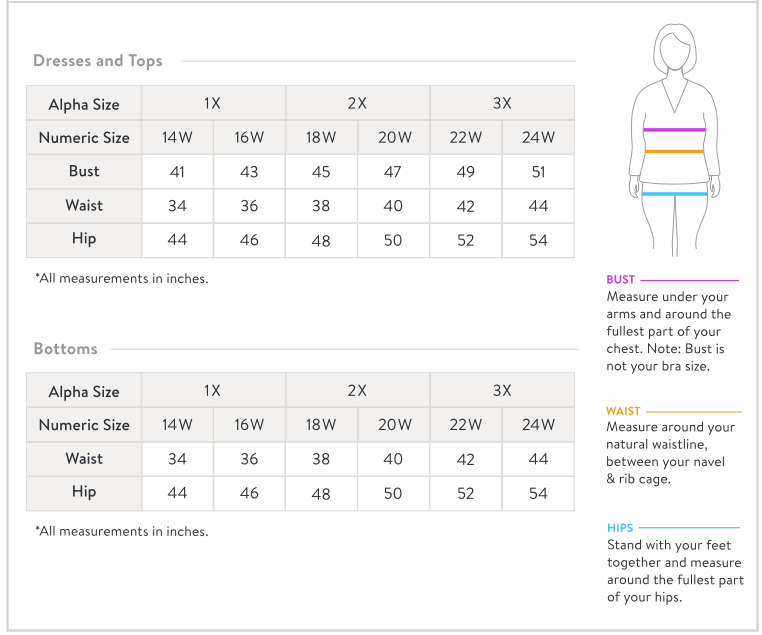
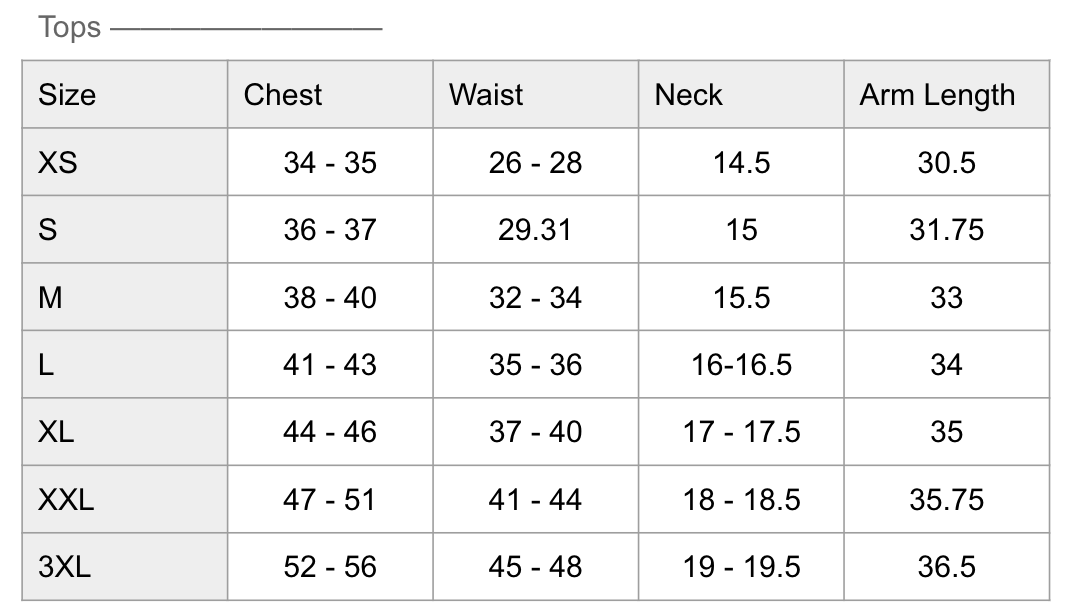
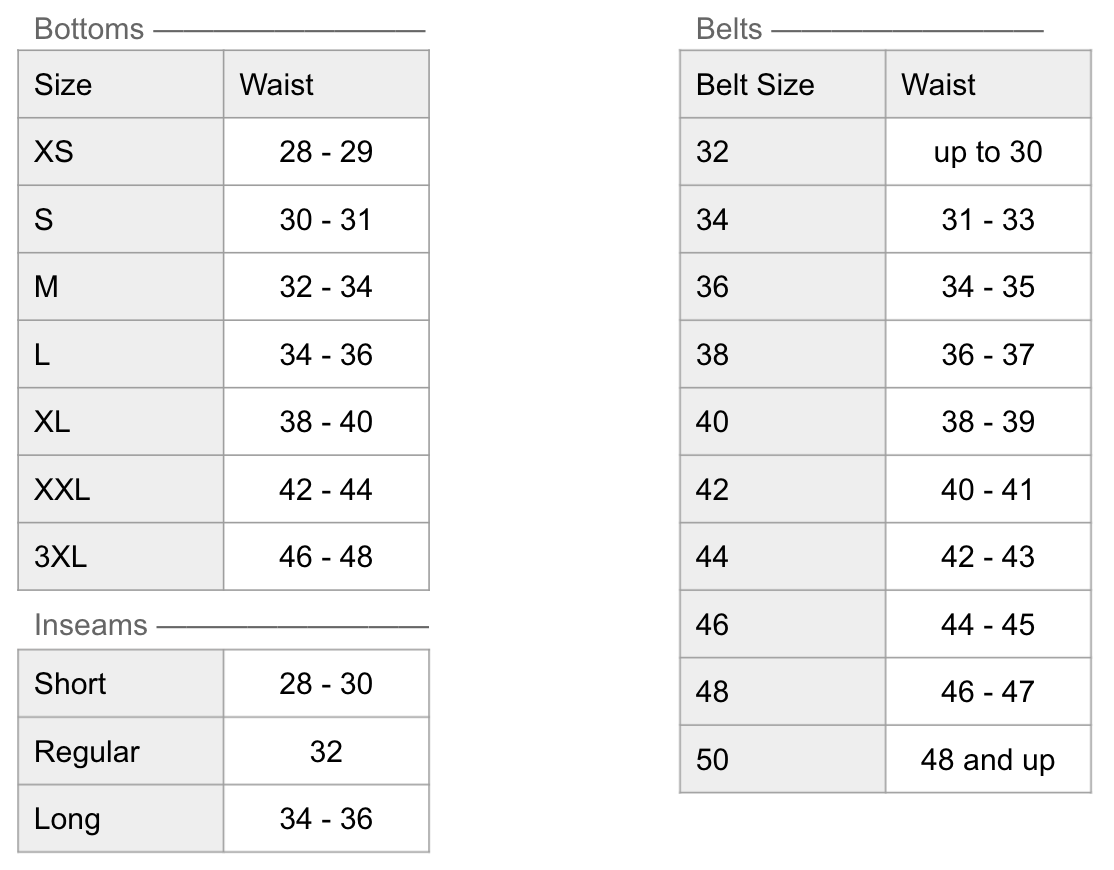
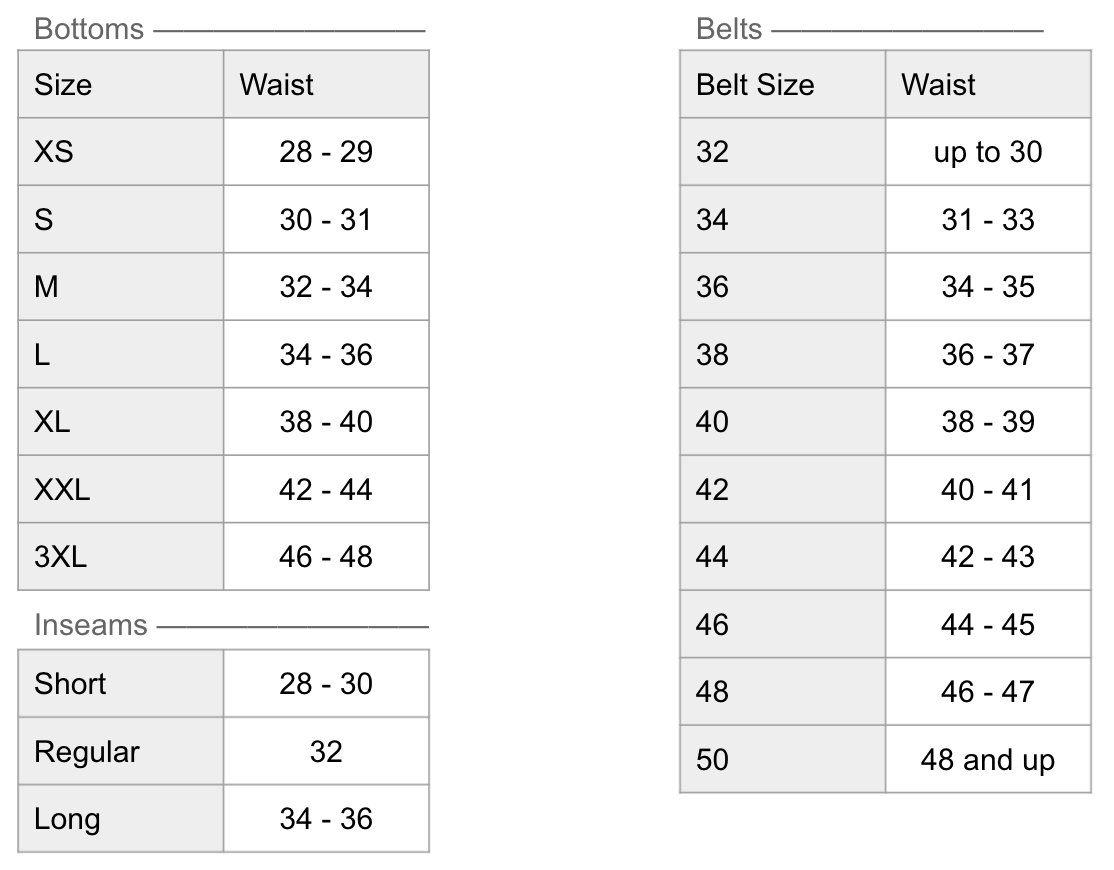
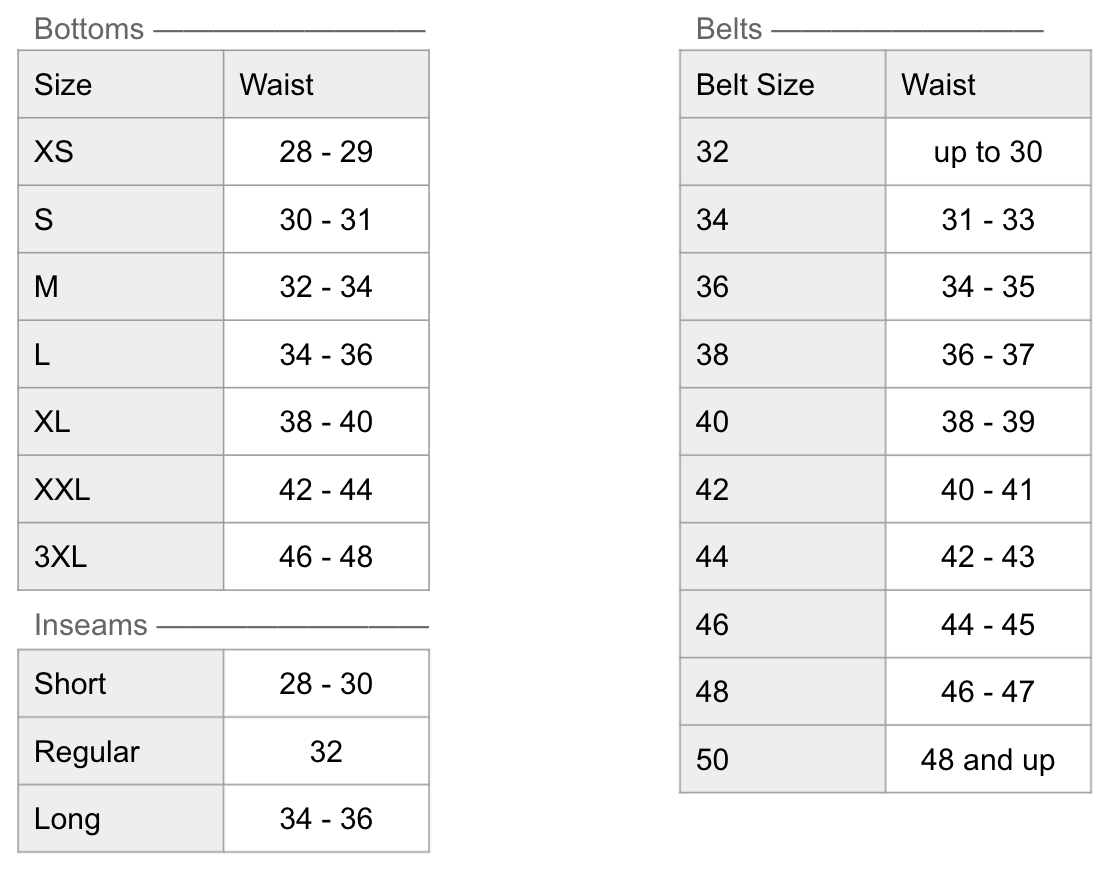
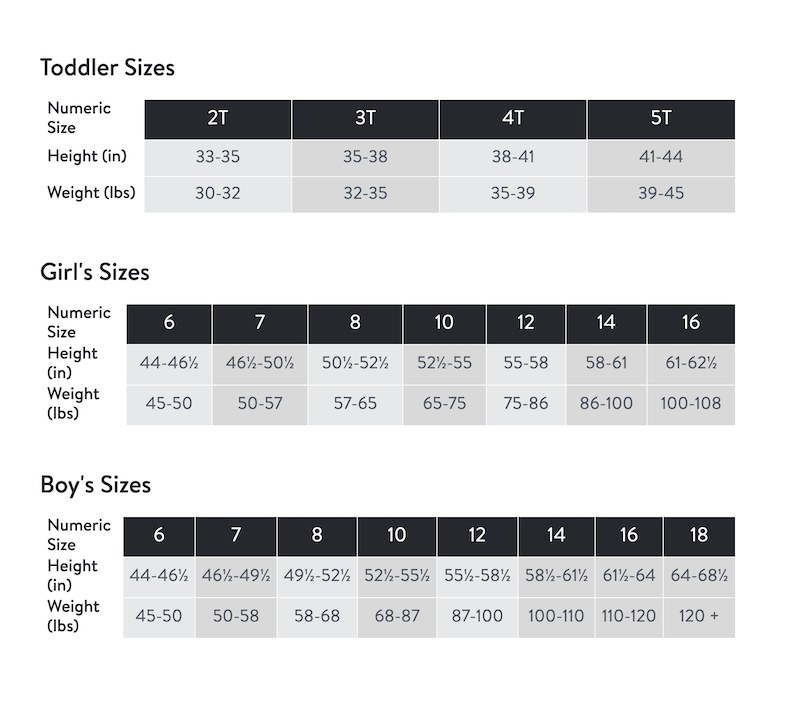
You can reference our size charts below for womens, womens plus, mens, and kids sizes.
If we're already working on your order, please contact our Support team over chat, text or email so we can confirm whether your Stylist received your updated sizing.
We know your style evolves and seasons change, so you can update your Style Profile anytime to keep your information up-to-date.