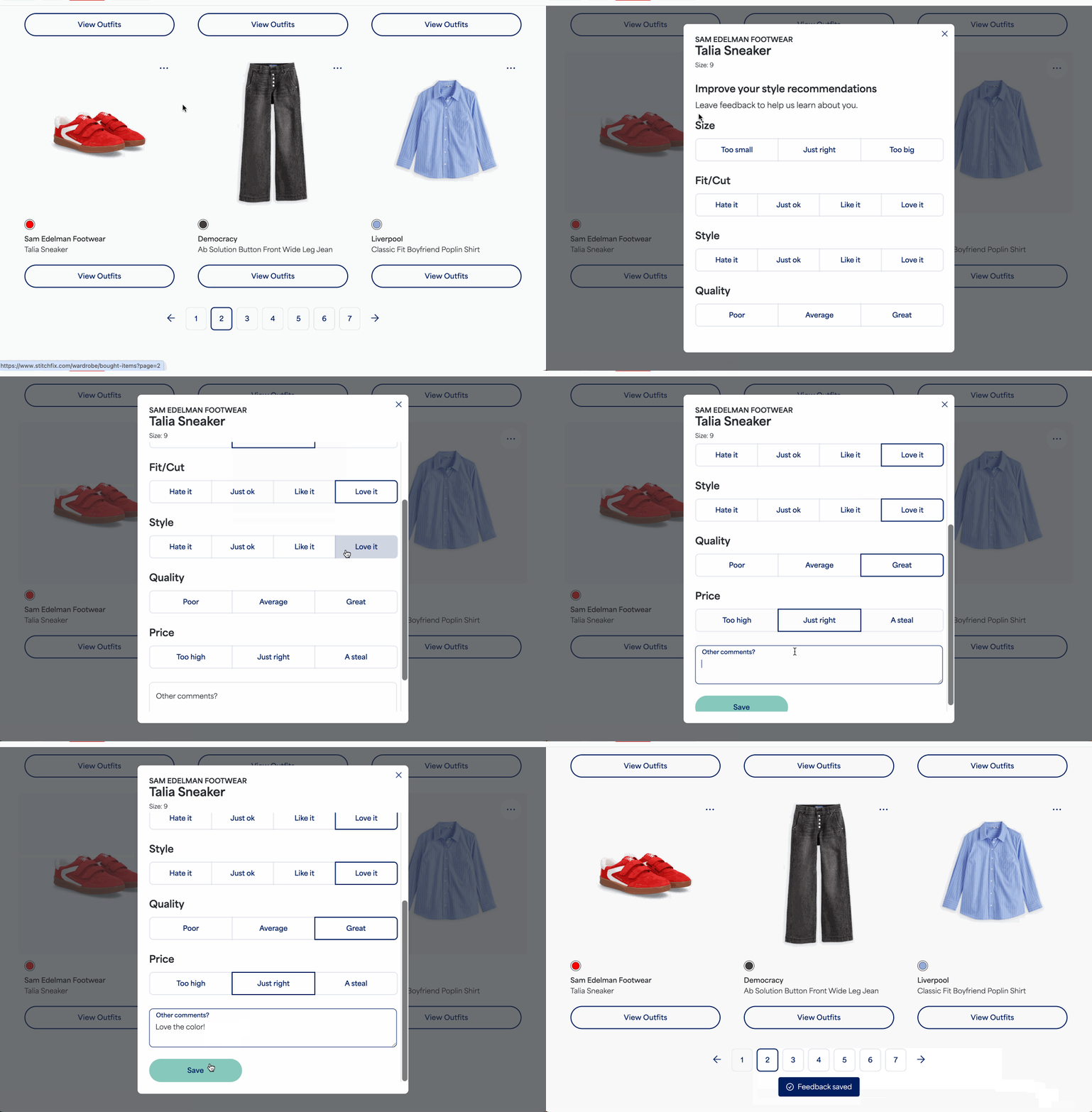
Providing feedback on your purchased Freestyle items is a great way to help your Stylist learn more about your preferences for future Fixes. You can leave feedback on the items you've kept directly in your account.
To provide feedback on items purchased from Freestyle:
- Using the web browser, log in to your Stitch Fix account
- Select your profile icon with your initial in the upper right corner
- Select Kept Items from the menu to open your wardrobe
- Locate the item you want to leave feedback on
- Select the three dots in the upper right corner of the item's image and then select Leave feedback
- Select from the options provided for size, style, fit/cut, quality, and price
- Leave any additional freeform feedback in the comments section
- Select Save once you've completed your feedback
Your feedback will now be visible to your Stylist!