Providing feedback on the items in your Fix is important, as it helps your Stylist get to know your preferences even better for future shipments. Once your Fix is delivered, you can leave feedback on your items by proceeding to your checkout.
Submitting Your Feedback
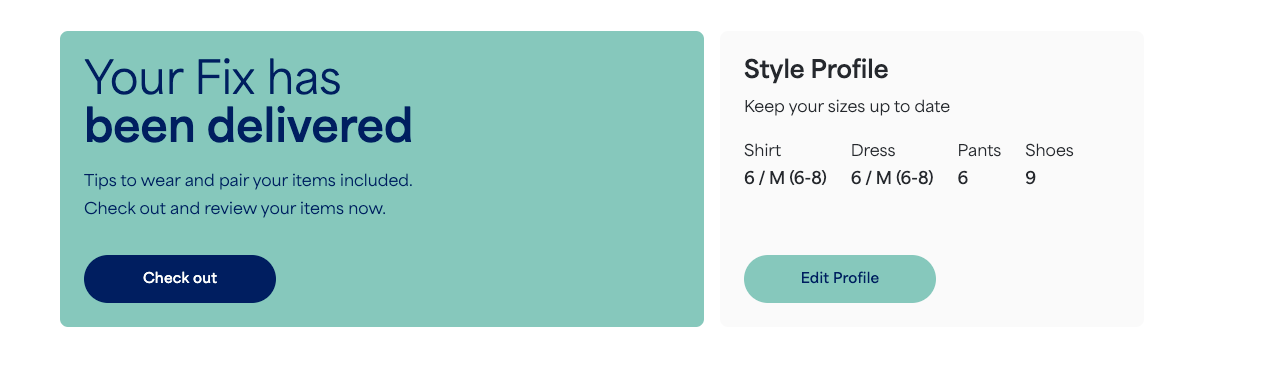
- Open your checkout by selecting Check out on the homepage of your account.
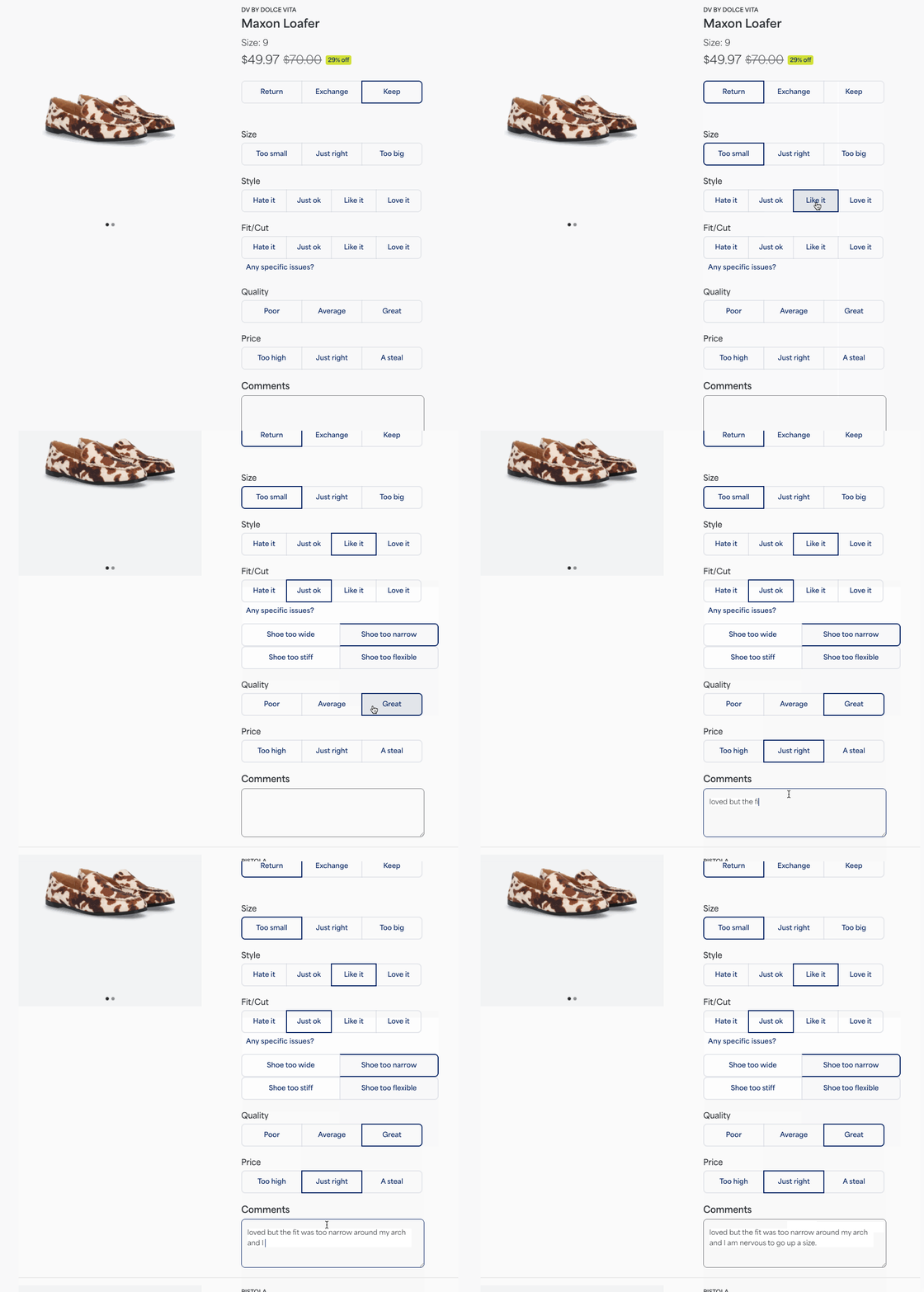
- Select whether you’re going to return, exchange, or keep each item.
Provide specific item feedback by selecting from the options provided for size, style, fit/cut, quality, and price.
Leave additional freeform feedback in the comments section.
Before reviewing your order, you’ll also have the opportunity to give feedback on your overall Fix experience.
Once you’ve made your selections and finalized your feedback, select the Review Order button at the bottom of the page.
Double-check that your Fix selections are correct and submit your payment.
Additional Information
Please contact our Support team if:
- You were unable to leave feedback during your checkout process
- The item you want to exchange is out of stock
- The checkout page is no longer available


