
After you’ve scheduled your Fix, you will have the option to preview a selection of 10 items curated just for you based on your style and Fix history. We'll send an email your way, letting you know when your preview is available.
You'll have 30 hours to select items that will be included in your Fix.
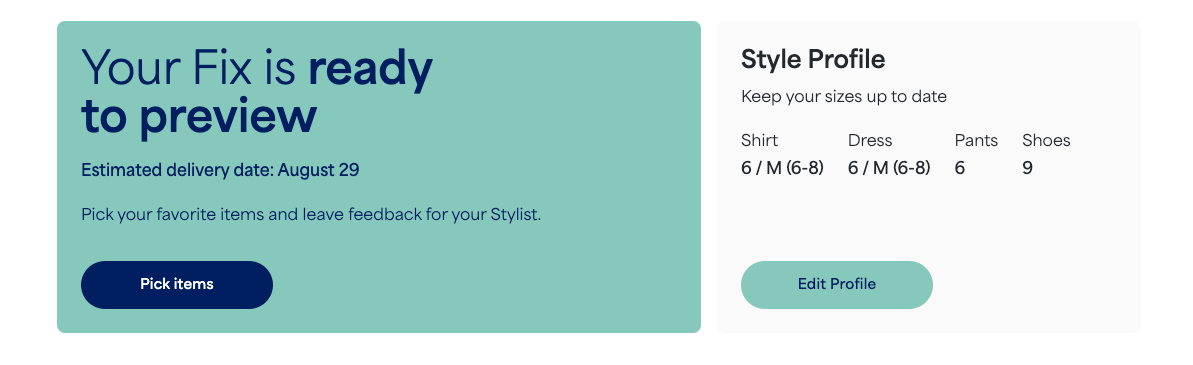
Preview Your Items
- To open your Fix Preview, select Pick items from the homepage of your account
- You can also open your Fix Preview directly from our email, too!
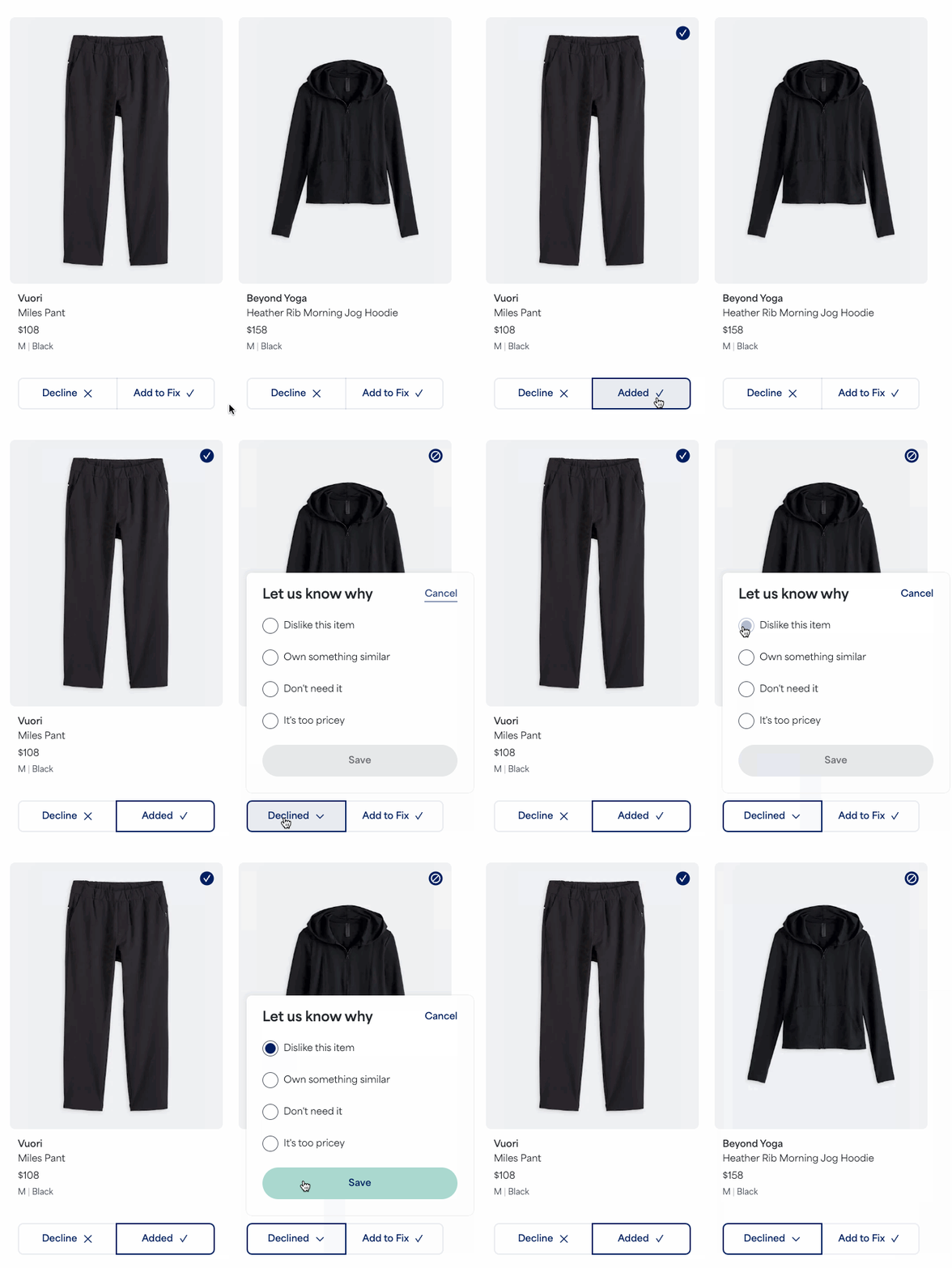
- Once open, you can review each item
- You’ll select either Decline or AddtoFix
- If you choose to decline an item, you can tell us why so we can provide more tailored options in the future.
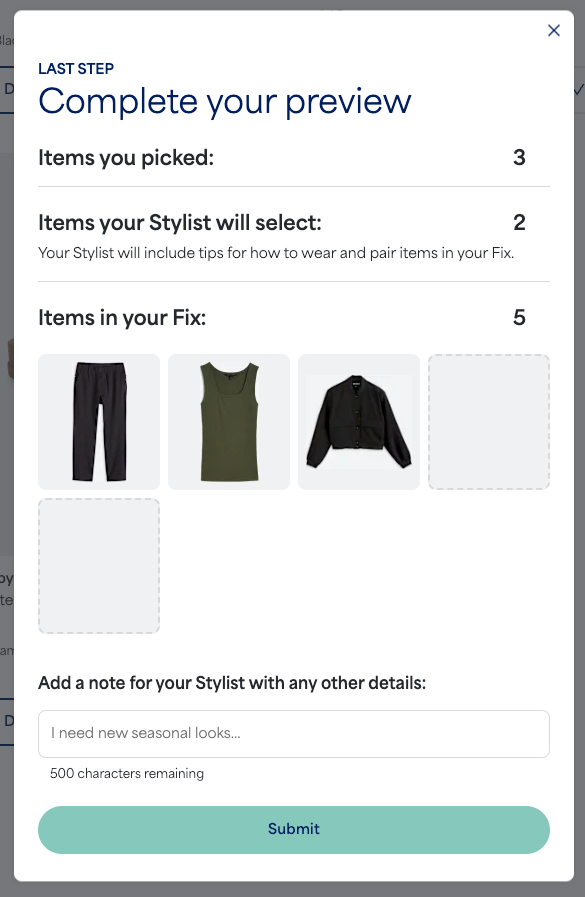
- Finally, review your selected items and complete your preview by selecting Submit
Additional Information
- The Fix Preview experience is available for our Womens and Mens clients after receiving their first Fix.
- Your Fix Preview window cannot be extended or reopened.
- Color or sizing swaps aren't currently available on Fix Preview items.
- To make sure your sizing is correct, visit your profile and ensure your information is up-to-date.
- After your Fix Preview selections have been submitted, you'll be unable to make any changes.